One of our biggest releases of the year just landed. The August 2026 release tackles two questions we hear often: Can we automate multi-step data quality routines instead of running individual jobs? And how does the “garbage” get into my data in the first place?
This release answers both questions and delivers powerful enhancements to rules, enrichment, AI, and overall usability.
Let’s dive in.
Workflows: Your Data Quality Routine on One Schedule
Until now, keeping Salesforce data clean automatically meant scheduling individual jobs or setting up real-time triggers. That worked well for standalone tasks but didn’t address coordination between jobs. For example, you might run a duplicate merge at 2:00 AM, wait for it to finish before lead conversion kicks off at 3:00 AM, and hope that finishes before account merging at 4:00AM starts. It worked, but it asked you to be an orchestrator. To address this challenge, we’re introducing Workflows, the newest addition to the Automate module. Workflows let you chain multiple data quality actions into a single automated sequence that runs on one schedule. Analyze → Merge → Convert → Transform → Verify — all defined once and executed in order, every time.
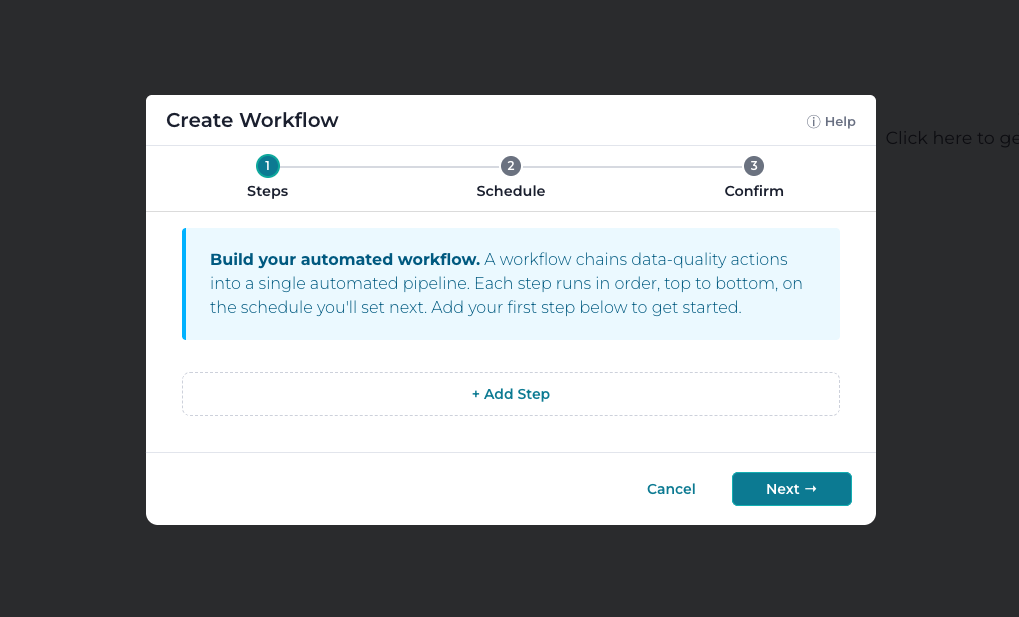
Building a workflow takes just minutes using the new four-step wizard: name it, add your steps, set the schedule, and confirm. You can include any of these familiar actions — Analyze, Mass Transform, Mass Merge, Mass Verify, Mass Import, Mass Delete, Mass Convert, or Sync to Salesforce. Then you can reorder them anytime with a simple drag-and-drop. Each step executes strictly in sequence, so each action works with the freshest results from the step before it. If a step fails, the workflow stops automatically rather than continuing with incomplete or inaccurate data.
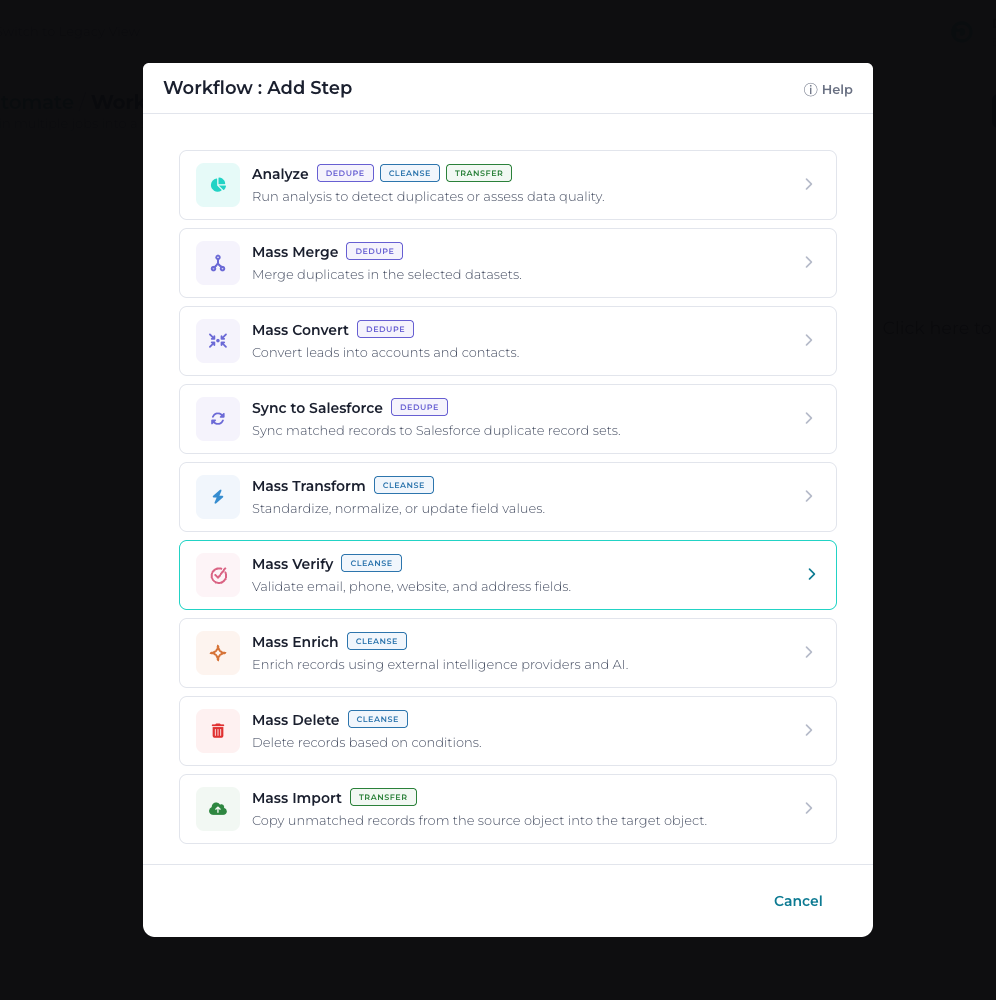
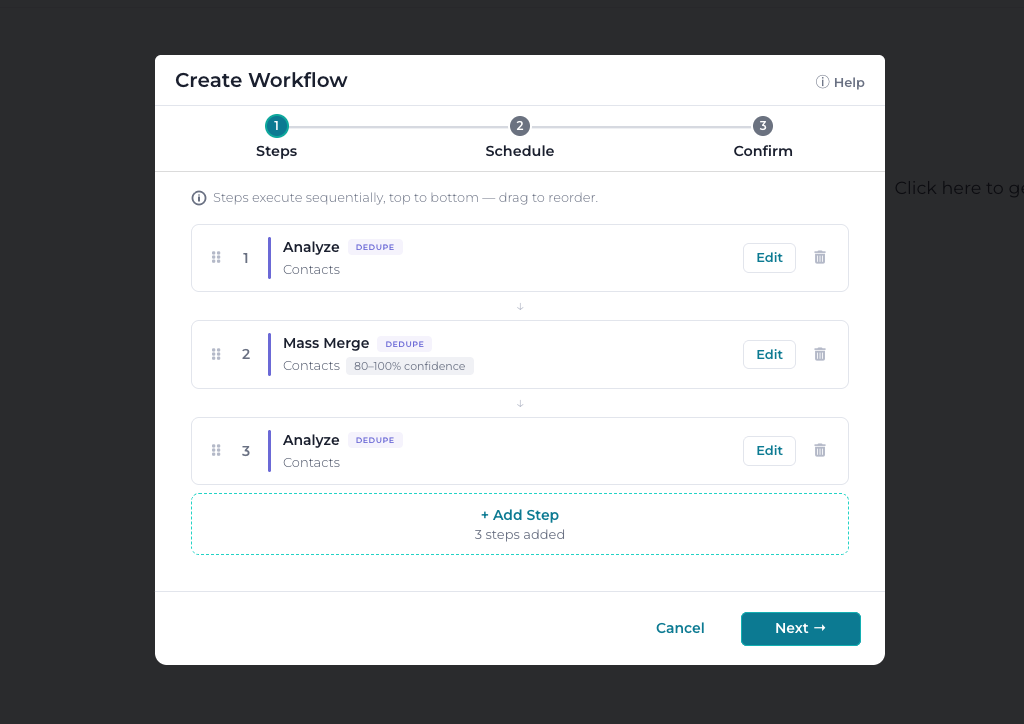
You maintain control throughout the process. Run workflows on demand with “Run Now,” trigger them through the API, stop a workflow in progress from the Audit page, or flip the toggle to pause scheduled runs without deleting anything. Every execution is logged in the Audit browser as a Workflow event, and a completion email reports the overall status, each step, and total runtime.
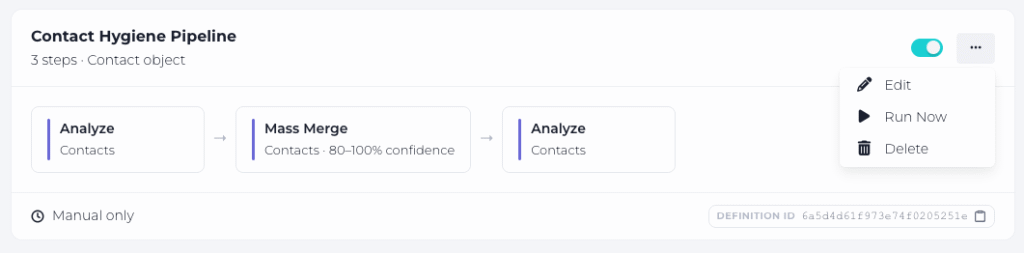
Why this matters: Data quality is a process, not a collection of independent jobs. Workflows lets you automate the entire process — with guaranteed ordering, built-in error handling, and a single schedule to build, manage, and maintain.
Workflows are available with Enterprise subscriptions.
Insights: Find the Source of Your Data Quality Problems
Dashboards tell you how much duplicate and incomplete data you have. The new Insights report tells you why — and that changes what you can do about it.
Insights give you visibility into where data quality issues begin, measure their impact, and help prevent them from recurring.
Key metrics include
- Duplicate Creation Rate — Track how many new duplicate groups are created over time. This is the single most important indicator of whether you’re preventing duplicates faster than they’re being created.
- Source Attribution — Identify which lead sources, users, and integrations generate the most duplicates, so you know exactly where to focus on remediation.
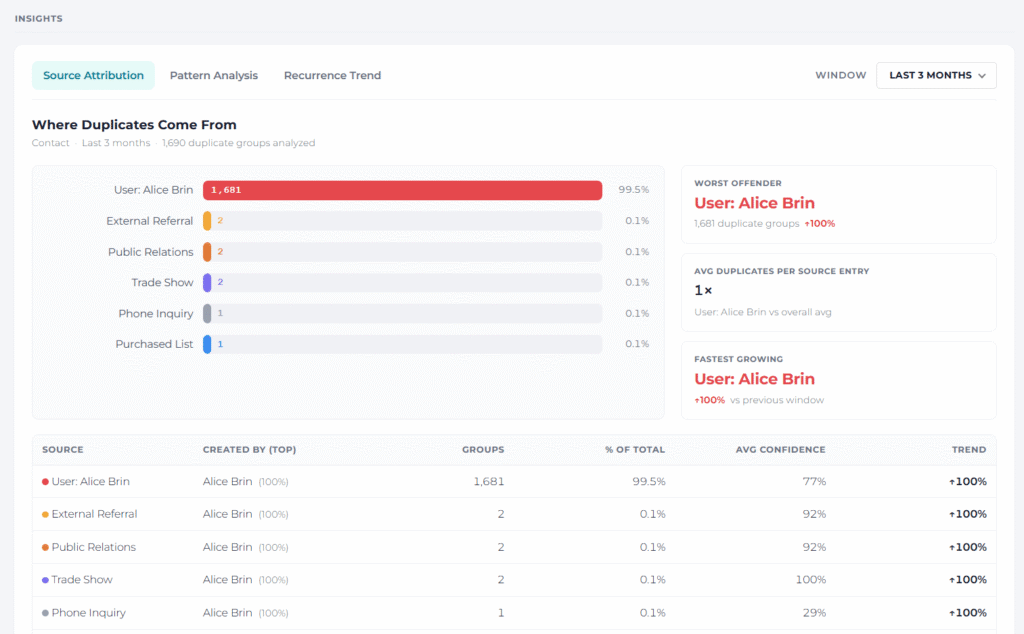
- Recurrence Tracking — Measure how often duplicate groups reappear after being merged. High recurrence means you still need to identify and address the root cause.
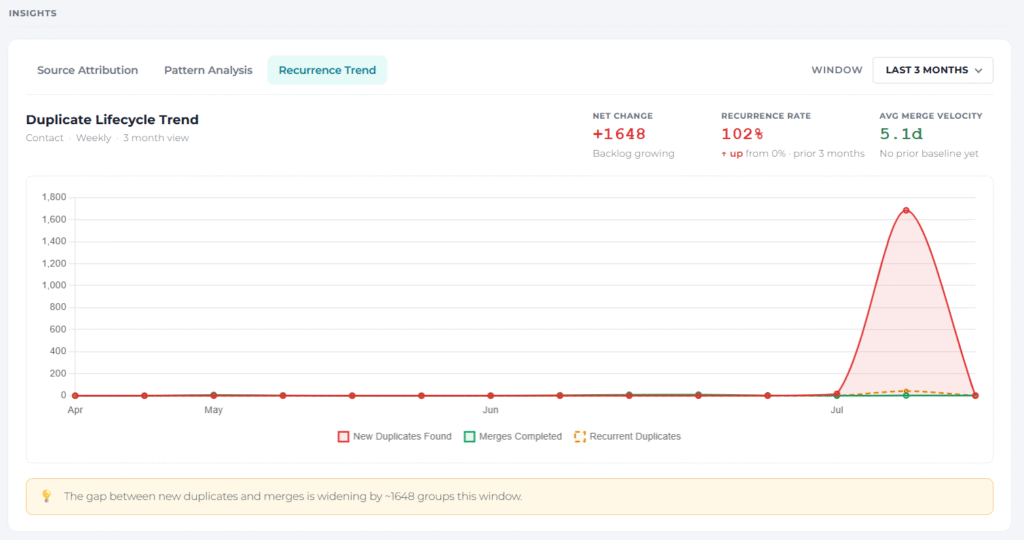
- Revenue Exposure — Quantify the pipeline value of duplicates linked to open Opportunities. This demonstrates the business impact of poor data quality.
- Pattern Analysis — Understand which types of duplicates occur most frequently: exact-email matches, fuzzy-matched names, company variants, or cross-object duplicates. Each pattern requires a different prevention strategy.
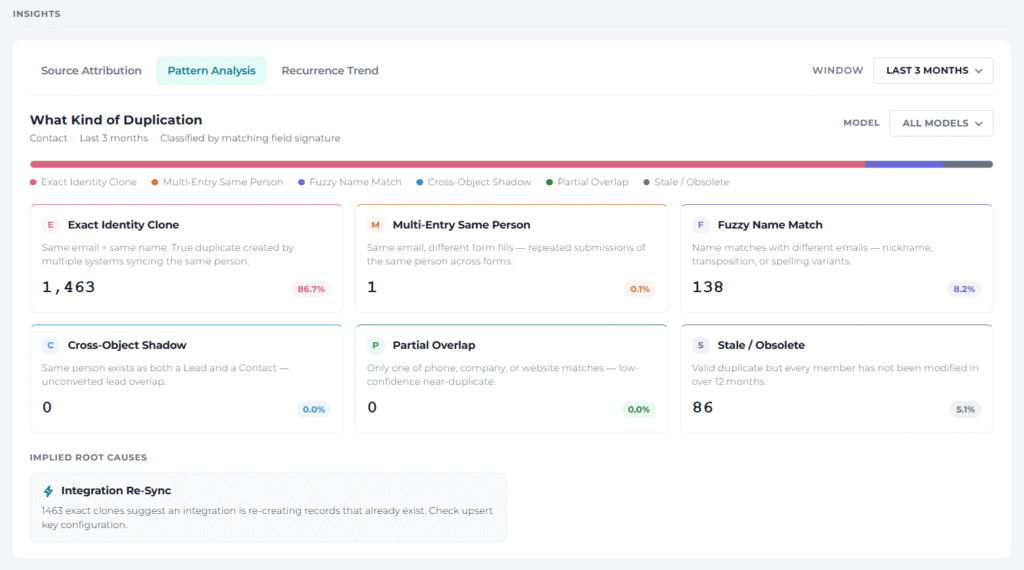
Insights also include DQ Score trends, model coverage gaps, merge velocity, confidence distributions, and field completeness by source, providing a comprehensive diagnostic picture of your organization’s data health.
Why this matters: Cleaning data without understanding what’s causing problems is a never-ending cycle. Insights convert your DataGroomr history into a diagnostic guide, so you can improve processes upstream instead of endlessly cleaning downstream.
Enrichment Expands with Web Search, Technographics, and Your Own Tools
This release adds three new ways to bring external intelligence into your enrichment workflows.
Search the Web
DataGroomr now includes a built-in Serper integration, available as a managed connection; no separate account is required. Enrichment prompts can now retrieve public web data as part of their execution. If a record has a usable link (say, the account’s website), DataGroomr reads the page directly at no extra search cost. If not, it searches the web for the most relevant pages first, then extracts the information needed.
Discover Company Technologies
BuiltWith joins the growing list of enrichment providers as a bring-your-own-key integration. Paste your BuiltWith API key on the Providers screen and your enrichment prompts can pull technographic data, including content management systems (CMS,) frameworks, analytics platforms, e-commerce platforms, and other technologies detected on any domain, plus available company metadata.
Connect Your Own Tools with Custom MCP Servers
Teams with proprietary data can now register custom MCP servers as enrichment providers. This enables Enrichment Actions to call your internal sources the same way they call ZoomInfo, Apollo, or Claude. Connect using OAuth 2.1 or a static token, review the discovered tools, and enable exactly the ones you want exposed. (Discovered tools stay disabled until you say otherwise.) Credentials are encrypted, scoped to your organization, and never displayed after you save them.
Why this matters: The best enrichment source for your business might not be commercial data. It might be the open web, a technographics database, or your own internal systems. DataGroomr makes them all accessible in a single enrichment workflow.
AI That Builds with You
Two additions push AI assistance deeper into setup, the part of data quality work that usually takes the longest.
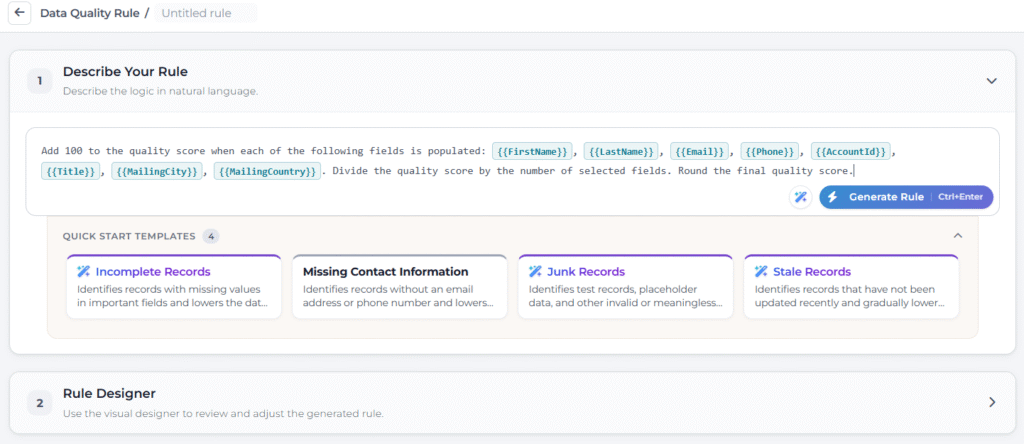
AI-powered data quality model templates. You already had AI-based completeness scoring. Now DataGroomr can automatically generate Incomplete Records, Junk Records, and Stale Records models tailored to your org by automatically discovering the relevant fields on each object. What used to take hours of configuration becomes a starting point you can refine.
AI-recommended master record rules. Choosing which record survives a merge is one of the most important decisions in deduplication. DataGroomr can now recommend master record selection rules using AI by analyzing all available fields on the object, as it already does for field merge rules.
Expanded LLM support. I you want to use your own LLM, you now have more choices. Google Gemini and Microsoft Copilot are now also available as BYO LLM choices.
A Redesigned Rules Designer
Rules are where DataGroomr’s power lives, and the designer they live in just got a major upgrade. The rules designer for Master, Merge, Transform, and DQ rules now shares the look and feel of the enrichment editor, so moving between the two feels seamless.
Quick start templates help you get started quickly (including a gradient-highlighted AI rule generator) while a visual designer lets you build logic without wrestling syntax. A new side panel displays your fields and compatible objects. The preview is more useful too. Load real records for testing without entering edit mode, edit field values inline to try what-if scenarios, and your selected fields and values are saved for the next time you open the rule.
Why this matters: The faster you can build and trust a rule, the more of your data quality process you can automate.
For Nonprofits: NPSP Merger Supports Cross-Object Datasets
If you use Salesforce NPSP, you know how much information lives in Household Accounts, Affiliations, Relationships, and ContactPointEmail/Phone records. NPSP Merger now supports cross-object datasets; so NPSP-specific relationships are correctly re-parented during cross-object merges instead of being lost or corrupted. Existing single-object NPSP Merger behavior is unchanged.
Export the Fields you Need
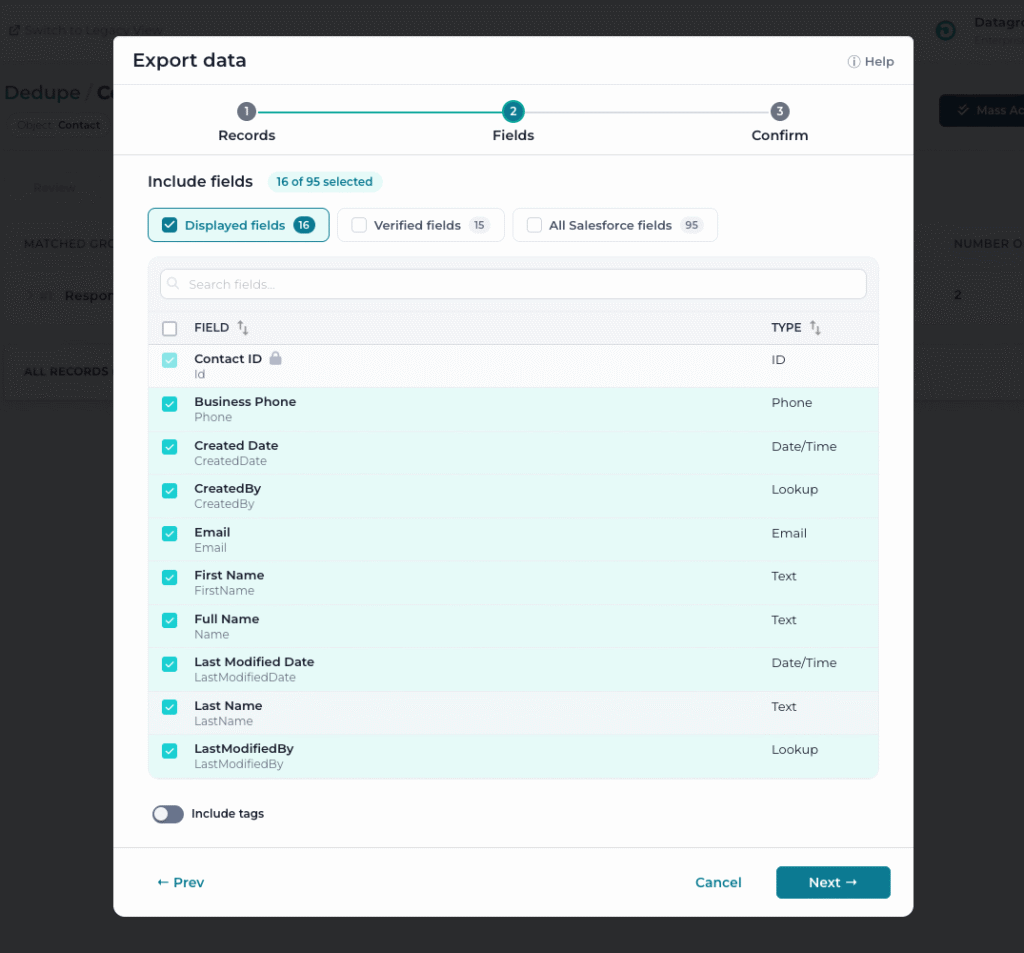
The old either/or export options are gone, replaced with combinable presets plus a full searchable, sortable field table. Record IDs are always included, and processed records can now be exported directly from the results dialog.
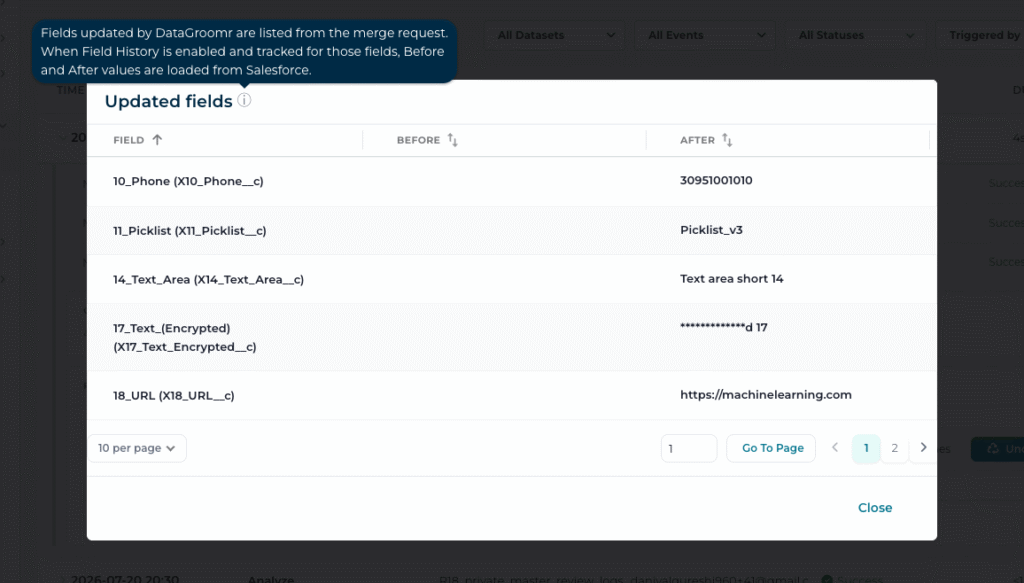
Before/After Values in the Audit Log
With Salesforce Field History enabled, click “No. of Updated Fields” on a merge to see exactly which fields changed, with their before and after values.
Other Enhancements
- Related records in audit exports — CSV exports for merge and restore results now include related record information .
- Remap CSV fields on existing Transfer datasets — Did you upload a file and map a column to the wrong field? Fix the mapping without starting over.
- Greater automerge transparency — When a newly created record is automatically merged, you’ll receive a notification link to the master record.
- Adjustable sidebar — Drag the left sidebar to your preferred width. Your new setting will stay.
- Clearer CSV confirm — Uploads now show the actual matching model being used instead of “Use default mode.”
Fixes Across the Platform
As always, this release includes dozens of fixes and refinements across the platform including rule designer preview, Audit log browser, export dialogs, dashboards, and Verify campaign components. You can expect clearer messages, restored buttons, better spacing, and consistent experience throughout.
Summary
This release is about connecting the dots. Workflows connects your jobs into a single automated pipeline. Insights connects duplicate data to its root causes. New enrichment providers connect your records to the web, technographics, and your own internal tools. AI-generated models and rules and a redesigned rules designer make the whole system faster to build and easier to trust.
As always, everything is fully backward compatible. Your existing datasets, models, rules, jobs, and schedules keep working exactly as they do today. The new capabilities are there whenever you’re ready for them.
Have an idea for what we should build next? Add it to our Ideas Portal or drop us a line at support@datagroomr.com. Features like Insights and the adjustable sidebar in this release started as customer requests.
Happy DataGrooming!