Vendors who offer Salesforce apps that run “natively” present this label as a shortcut for deciding whether an app is secure, reliable, and easy to use, especially when compared with a connected app. But is this really true? Native only describes how an app is built, not how well it performs. It actually does not guarantee better security, easier administration, or more accurate results.
For Salesforce teams evaluating apps, the questions that matter are:
- Will the app do what it promises?
- Will it protect your data?
- Is it simple to set up and use?
- Will it require a lot of effort to maintain?
- Will it deliver the results your organization needs?
Those should be the buying criteria. “Native” alone should not earn an app extra points in the evaluation process.
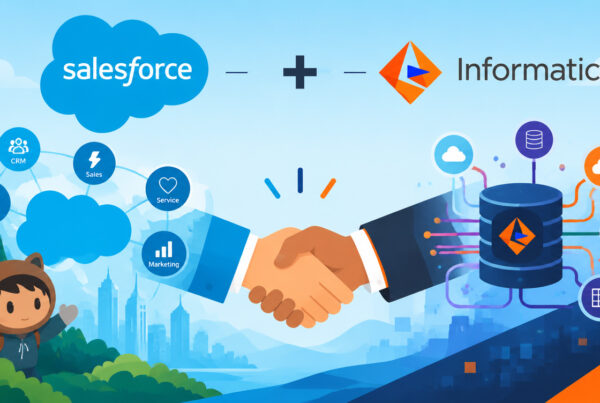
Salesforce’s move toward Headless 360 reinforces this point by making it easier to use its capabilities from other applications and interfaces, Salesforce is recognizing that the value lies in what a tool can do and how well it is controlled, no matter where someone runs it.
What “Headless” means for an admin
“Headless” sounds technical, but the idea is straightforward: you can use Salesforce capabilities without opening the usual Salesforce screens. Another application can request information or start a supported action in Salesforce.
This builds on something admins already know: Salesforce APIs have connected business systems for years. An API is simply a supported way for one application to ask another to do something, such as retrieve records or submit an update.
Salesforce’s Headless 360 direction expands how people and AI agents can access the platform. It does not mean Salesforce is abandoning its own interface or that every task should move elsewhere.
It does mean that the screen someone uses is a poor shortcut for judging the application behind it. An app can show results inside Salesforce while doing some work outside it. Another can have its own interface while making changes directly in Salesforce.
For an admin, the more important question is whether the tool fits the way your team works and gives you the controls you need.
A dedicated interface can make cleanup easier
Salesforce’s familiar screens do have advantages. A sales rep checking one contact may prefer to stay on that record page. But an admin reviewing hundreds of duplicate groups has a different job.
A dedicated cleanup screen can put matching records side by side, highlight differences, explain why they matched, and show which values will survive a merge. Filters can help you separate obvious duplicates from cases that need a closer look.
Having those details together can reduce clicking between records and help reviewers catch mistakes. A separate application can also consolidate information from several objects or systems into one review process.
What to look for: Give the people who will use the tool a realistic cleanup task. Watch how easily they find the right records, understand the differences, and approve a safe merge. That tells you much more than whether the screen looks like Salesforce.
An external app does not mean weaker security
Using Salesforce through an API is a supported way to work with the platform. It is not, by itself, a security weakness.
External apps can use Salesforce native sign-in and approved access to data. Admins can control who connects and what access is granted. The important question is how those controls are configured and enforced, rather than where the app’s interface lives.
Native apps also need proper security. Their code must handle access correctly; being installed inside Salesforce does not prove that every permission has been enforced as you expect.
What to look for: Apply the same standard to both: ask the vendor to explain its controls and to demonstrate that users can access only what they should.
Native and external are not always separate categories
A data quality app can combine several approaches. It may install in Salesforce, offer screens inside Salesforce, and still use outside services for particular features.
For example, an external service might organize a large cleanup job while Salesforce performs the actual merges. An email or address check might send selected fields to a specialist provider. An AI feature might ask an outside model to suggest matches or help configure rules, then display the answer inside Salesforce.
Products marketed as native can and do offer these options too. That does not make those features bad. It means the label does not tell you how the whole product works.
What to look for: Ask about the features you plan to turn on. Where does each one run? What information does it send? Is that information saved, and for how long? Enabling an optional AI feature may change the answers.
You need a clear explanation of your actual setup, not one broad label for the product.
Compare storage and processing workloads too
A matching index is information an app builds to help it find duplicates. Some tools store that information as extra Salesforce records or fields. Those take up space, and keeping them updated adds to Salesforce’s processing load. Depending on the size of your database and your available storage, that can mean extra costs.
Ask how much Salesforce storage the app needs and how it affects your everyday work. Do not assume that an app uses fewer resources simply because it runs inside Salesforce.
Another advantage of using Salesforce APIs is the ability to offload processing from the Salesforce platform. For deduplication, external applications identify matches, and prepare and manage large merge jobs. The actual merges still happen in Salesforce, where they can trigger automation and compete with other activity affecting the same records.
What to look for: Compare the full job–how long it takes, what resources it uses, and whether users notice a slowdown.
External does not mean out of date
An external app does not have to use yesterday’s data. External applications can use Salesforce APIs to retrieve current records when needed or respond as records are created and updated.
What matters is how the application gets its information and when it acts on it. A scheduled cleanup runs periodically whether the tool is native or external. Immediate duplicate prevention depends on checking records at the right point in the process—not on keeping every part of the application inside Salesforce.
What to look for: Ask how quickly the tool detects and responds to changes. Judge that behavior directly, rather than treating “native” as a guarantee of current data.
Modern applications in headless era
DataGroomr is one example of how these ideas can work together. It connects to Salesforce while giving admins a dedicated place to manage data quality. Salesforce remains central to the work, without requiring every part of the application to run inside the org.
For access, DataGroomr uses Salesforce OAuth and supports single sign-on (SSO). OAuth authorizes access to Salesforce data; SSO lets users sign in through an established identity provider. Admins can control access and revoke the Salesforce connection. Login protections, including multi-factor authentication, depend on the setup.
For processing, DataGroomr uses a zero data retention architecture: some Salesforce data is processed externally but is not stored outside Salesforce. It also provides immediate duplicate prevention without creating large matching indexes inside the Salesforce organization.
Together, these choices show why the individual features matter more than the label. A dedicated interface, controlled access, immediate prevention, and a smaller matching-index footprint inside Salesforce can support the same goal: making data quality easier to manage. Those are benefits an admin can evaluate directly.
Replace the checkbox with a useful demo
Ask vendors to work through your own examples, including difficult records. Focus on these questions:
Accuracy: Does it miss duplicates or incorrectly match different people?
Clarity: Can you understand why records matched?
Safe merging: Can you preview surviving values and see what happens to related records?
Security: Who can access the data, and what leaves Salesforce or gets saved elsewhere?
Recovery: Can you see what changed and recover from a mistake?
Ease of use: Can your team complete the work confidently with reasonable training?
Cost and performance: What storage, processing, and ongoing admin work does it require?
Salesforce’s headless direction reinforces a simple idea: useful capabilities should be available where people need them, with appropriate controls.
What to look for: Remove “native” as an independent buying criterion. Choose the tool that proves it can find the right duplicates, protect your data, merge safely, and make your team’s work easier.