The December ’25 release focuses on one core goal: removing friction from everyday data quality workflows. From faster Salesforce logins and general availability of Live Dedupe, to AI-generated rules that are easier to understand and stronger matching controls, this release makes DataGroomr easier to use, easier to learn, and easier to scale.
Below is a deeper look at what’s new and improved.
Faster, friendlier Salesforce access
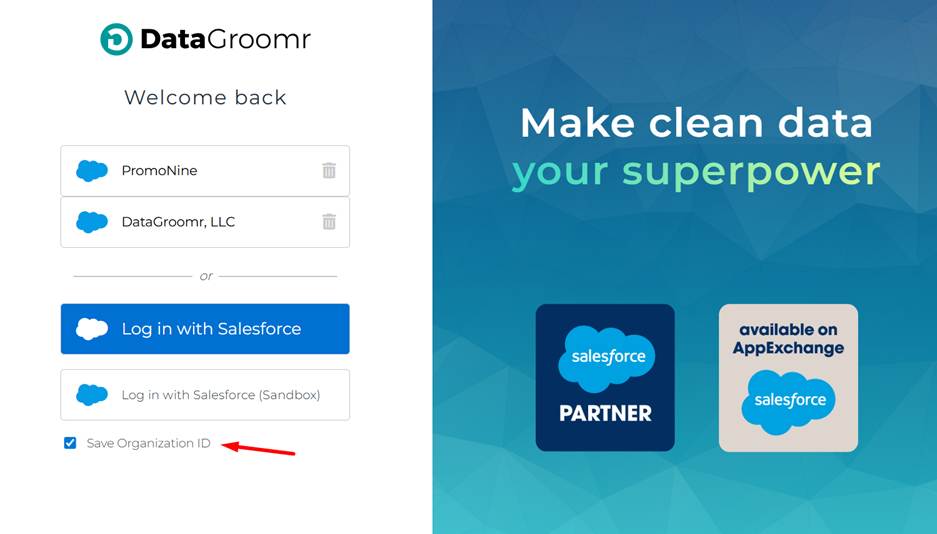
Logging into Salesforce orgs that use SSO or custom domains is now significantly faster and more intuitive.
When you return to DataGroomr from a device previously used to sign in, you’ll see a “Welcome Back” experience showing your recently used orgs, complete with branding logos. One click takes you directly to the correct Salesforce login page—no need to re-enter Org IDs or guess which environment you’re logging into.
This is especially helpful for:
- Consultants managing multiple orgs
- Admins switching between Production and Sandbox
- Teams using Salesforce SSO or custom domains
Live Dedupe is now generally available
Live Dedupe is officially out of invite-only mode and now generally available.
What this means:
- Pro plans include 1 Live Dedupe dataset
- Enterprise plans include 3 Live Dedupe datasets
- Additional Live Dedupe datasets can be purchased as add-ons when you need to scale
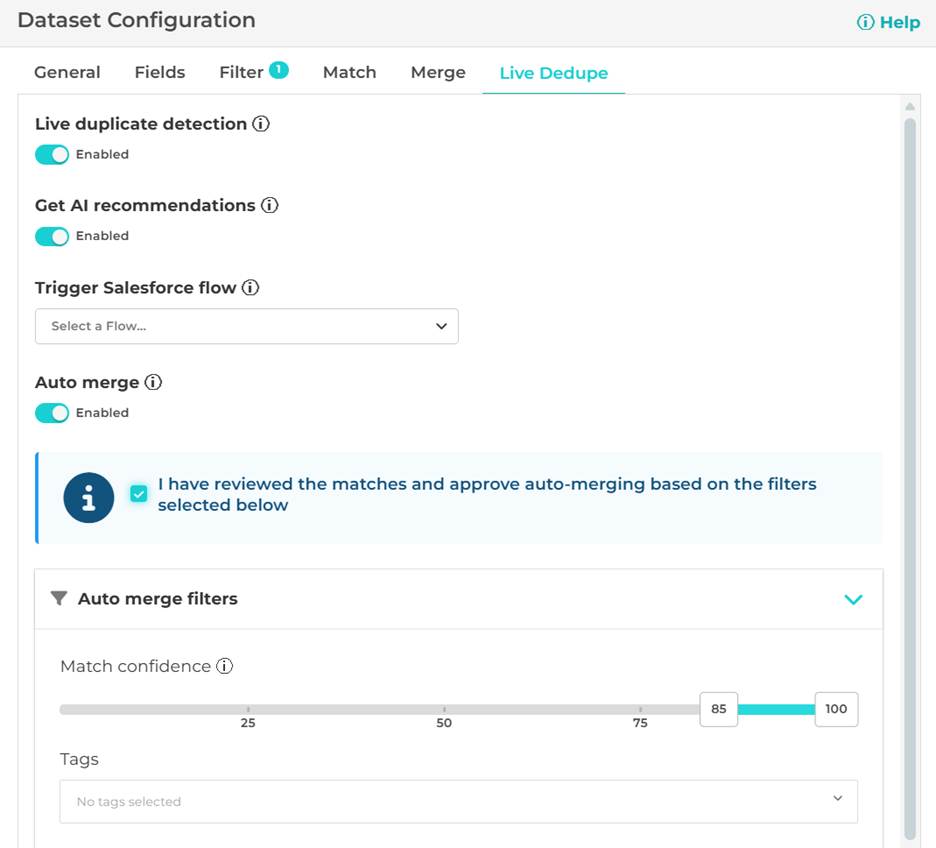
This makes it much easier to prevent duplicates at the moment data enters Salesforce, rather than cleaning them up later.
Smarter, more transparent rule design with AI
AI-generated merge rules tailored to your org
This is a huge time saver! Instead of starting from a blank canvas, AI can now generate field merge rules customized to your org’s metadata.
The AI takes into account:
- Field types
- Permissions
- Common best practices (data completeness, recency, verification fields, etc.)
The result is a starting rule that’s far closer to “production-ready,” saving time while still keeping you in control.
“Explain Rule” in the Rule Designer
Understanding complex merge or transform logic shouldn’t require reverse-engineering of algorithmic blocks.
You can now click “Explain Rule” in the Rule Designer to get a plain-English explanation of what the rule does. This is especially valuable for:
- Reviewing inherited rules
- Auditing AI-generated logic
- Sharing intent with teammates
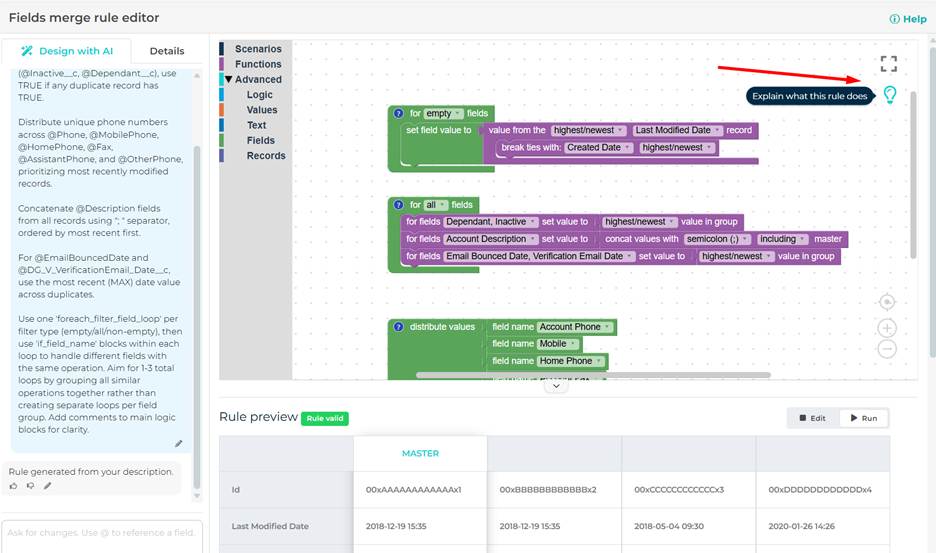
The explanation is generated automatically based on the actual rule logic—not a generic description.
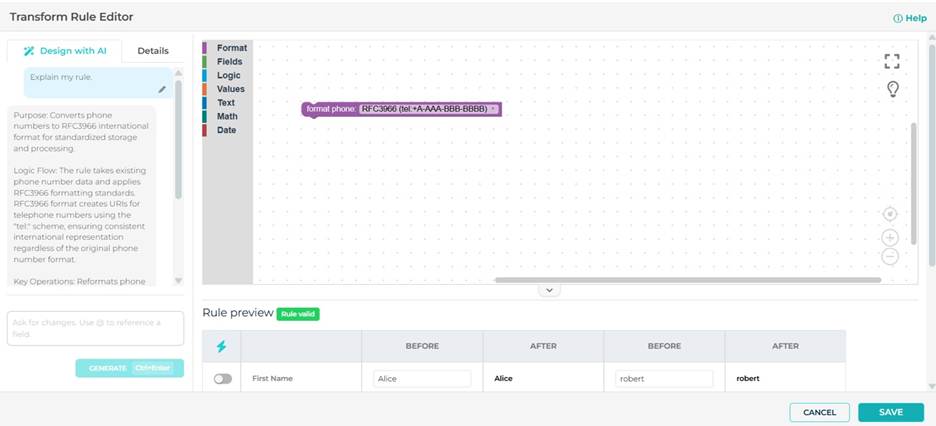
AI chat history is now saved
When you use AI to generate or refine rules, your chat history is now preserved across sessions.
This means:
- You can revisit why a rule was created a certain way
- Edits and follow-up prompts stay visible
- Teams have better transparency into AI-assisted decisions
This is a big step toward explainable, auditable AI inside DataGroomr.
Convenient address matching
Address fields supported in matching models
Matching models now support selecting full address fields, in addition to individual components like Street, City etc. This provides more flexibility in duplicate detection when address data is a key signal.
This improves:
- Household and contact matching
- Account deduplication
- Data imported from external sources
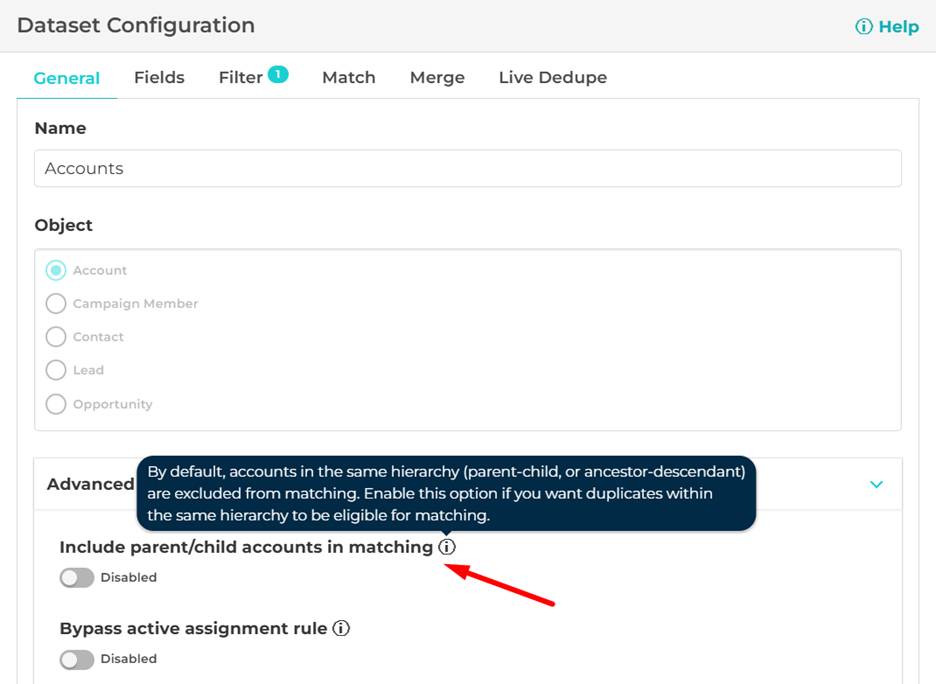
Exclude accounts in the same hierarchy from matching
A new dataset setting excludes accounts that belong to the same hierarchy (parent, child, or ancestor relationships) from being matched.
By default, this prevents:
- Parent/child accounts being flagged as duplicates
- False positives in complex Salesforce account hierarchies
In case you still want to match parent/child accounts, you can enable hierarchy matching explicitly when it’s appropriate, giving you full control.
Built-in Salesforce automation, out of the box
Managed packages now ship with ready-to-use Salesforce Flow templates, including:
- Verify Contact Information (email/phone verification on record creation)
- Duplicate Detected (extensible template that can be used to send email or Slack alerts when Live Dedupe finds a match)
This removes setup friction and makes it easier to activate automation immediately after install.
UX improvements you’ll notice right away
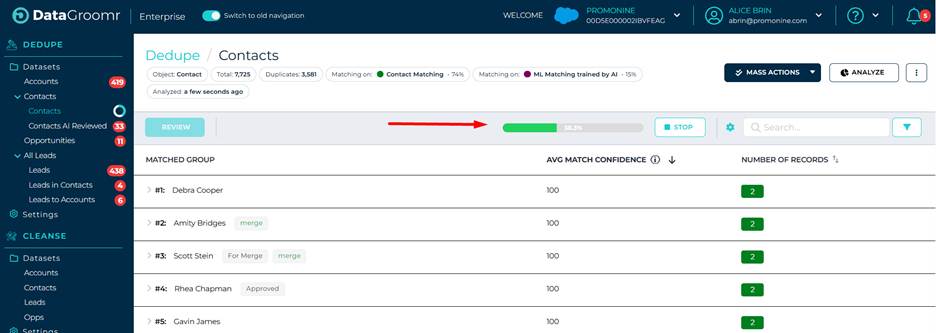
Clearer dataset analysis status
When you re-run analysis on a dataset, it’s now obvious what’s happening:
- “Analyzing…” status shown directly in the toolbar
- Progress indicators similar to Audit jobs
- Consistent behavior across Dedupe, Cleanse, and Import
Org ID displayed in the header
The Salesforce Org ID is now visible directly in the header, below the org name, with a quick link to open the org in Salesforce.
This is especially useful for:
- Support and troubleshooting
- Multi-org admins
- Consulting teams
Usability improvements
- Successful Load events are now shown as informational notifications, making it clear that loading is an intermediate step before analysis—not the final outcome.
- Advanced dataset settings have been moved into the General tab, reducing clicks and making configuration more discoverable.
- Individual AI reviews no longer require confirmation clicks, making one-off actions faster. Mass AI actions still show credit usage prompts, so you stay in control of spend.
Credit expiration notifications
If you’ve purchased credits, you’ll now receive proactive notifications:
- 14 days before expiration
- 7 days before expiration
- 24 hours before expiration
This helps avoid surprises and ensures credits don’t go unused.
Full release details
For the complete list of changes, including all fixes and internal improvements, see the full December ’25 Release Notes in our help center.
As always, thank you for trusting DataGroomr to keep your Salesforce data clean, accurate, and reliable.
Happy Data Grooming!